Internet privacy guide: Expert advice on avoiding online threats

- Understanding the threats>>Understanding online threats
- Basic steps>>Basic steps to protect your privacy
- Advanced tools>>Advanced privacy tools and techniques
- Protecting communication>>Protecting your communication
- Safe browsing>>Safe browsing practices
- Securing devices>>Securing your devices
- Final thoughts>>Final thoughts
The concept of privacy has taken on a whole new dimension as we try to control a space far beyond our reach. The internet has changed everything. Our private lives and personal information are no longer quite so private.
Every click, search, and interaction is being monitored, recorded, and analyzed. However, this convenience comes with a cost.
Companies, governments, and malicious actors are all vying for a piece of your digital footprint. They collect, store, and often misuse your data in ways that can have serious repercussions.
In this internet privacy guide, I hope to offer you some relief. Because with the right help and discretion, you can protect yourself online.
Let’s take the first step towards a more secure and private online experience.
Understanding online threats
Understanding the various online threats is the first step in protecting your personal and professional life. It’s something the internet forces us to consider.
These threats come in many forms, each with its own methods and consequences.
Types of online threats
- Malware: This term is short for malicious software and is designed to damage or disable computers and computer systems.
It can spread through email attachments, file-sharing networks, online advertisements, and infected websites.
Common types of malware include viruses, worms, trojans, ransomware, and spyware.
Example: The WannaCry ransomware attack in 2017 affected hundreds of thousands of computers across the world, encrypting files and demanding ransom payments in Bitcoin.
The attack caused significant disruptions in various sectors, including healthcare, where the UK’s National Health Service (NHS) was severely impacted.
- Phishing: Phishing involves tricking individuals into revealing personal information such as credit card numbers, passwords, and account numbers.
These attacks are typically carried out via email but can also occur through instant messages, social media, and text messages.
Example: In 2016, a phishing attack targeted employees of the Democratic National Committee (DNC), leading to the theft of thousands of emails and documents. The breach had significant political ramifications and highlighted the vulnerability of even well-protected organizations to phishing attacks.
- Ransomware: Ransomware is a type of malware that encrypts or locks files on a computer, demanding a ransom to decrypt them.
Do you have a good online reputation? Find out with our free
Reputation Report Card.
This type of attack can be devastating for businesses, resulting in the loss of important data or systems being taken offline.
Example: The 2021 Colonial Pipeline ransomware attack led to the shutdown of the largest fuel pipeline in the United States. The attackers demanded a ransom, which the company paid, but the incident caused widespread fuel shortages and highlighted the critical infrastructure’s vulnerability to cyberattacks.
- Social engineering: Social engineering attacks rely on human interaction to trick victims into revealing information or performing actions they wouldn’t normally do.
These attacks can include phony phone calls, emails, fake websites, and social media profiles.
Example: In 2020, Twitter experienced a significant social engineering attack where hackers gained access to high-profile accounts, including those of Elon Musk, Bill Gates, and Barack Obama.
The attackers used these accounts to promote a Bitcoin scam, demonstrating the power and reach of social engineering tactics.
More real-world examples
- Equifax data breach (2017): A server exploit led to a gigantic breach of individuals’ credit reports. The breach took a few months to identify and shut down, and Equifax eventually paid the FTC a significant fine (PDF).
The breach exposed sensitive information, including Social Security numbers, birth dates, and addresses, leading to widespread identity theft and financial fraud.
- Tesla insider threat (2023): Two former Tesla employees misappropriated confidential information and shared it with a media outlet. The breach exposed the personal data of tens of thousands of people and production secrets.
Reports suggest the breach could potentially result in a multi-billion General Data Protection Regulation (GDPR) fine due to insufficient protection of sensitive personal data.
This information is not to instill fear; it’s to help you understand the real-world implications of your privacy vulnerabilities.
The first step is protecting yourself online.
In the next sections, we will explore practical steps and advanced tools to enhance your online privacy and security.
Basic steps to protect your privacy
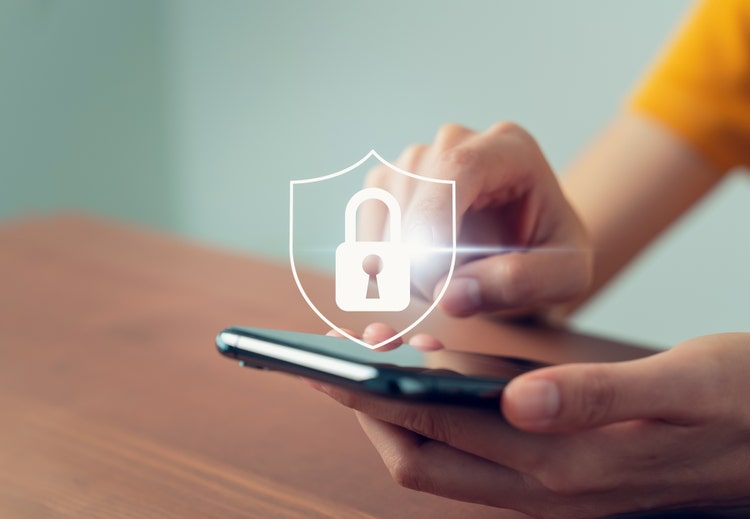
Now that we have a solid understanding of the various online threats, it’s time to take actionable steps to protect your privacy.
These basic measures are the foundation of a robust online security strategy.
Let’s explore these steps in detail.
Use strong, unique passwords
One of the simplest yet most effective ways to protect your online accounts is by using strong, unique passwords.
A strong password is your first line of defense against unauthorized access.
- Create strong passwords: A strong password should be at least 12 characters long and include a mix of letters, numbers, and special characters.
Avoid using easily guessable information such as birthdays or common words.
For example, instead of using “Password123,” opt for something like “G7!hT9@kL2#pQ8”.
- Use a password manager: Remembering multiple complex passwords can be challenging. Password managers like LastPass or 1Password can generate and store strong passwords for you, ensuring that you only need to remember one master password.
Enable two-factor authentication (2FA)
Two-factor authentication (2FA) adds an extra layer of security by requiring a second form of verification in addition to your password. This makes it significantly harder for attackers to gain access to your accounts.
- How 2FA works: When you log in, you’ll be prompted to enter a code sent to your phone or generated by an authentication app. This makes sure that even if someone has your password, they can’t access your account without the second factor.
- Setting up 2FA: Most major services, including Google, Apple, and Facebook, offer 2FA. For example, to enable 2FA on your Google account, go to your account settings, select “Security,” and follow the prompts to set up 2FA.
Regular software updates
Keeping your software and devices up to date is crucial for protecting against vulnerabilities that hackers can exploit.
- Importance of updates: Software updates often include patches for security vulnerabilities that have been discovered. By regularly updating your software, you ensure that you have the latest protections in place.
- Enable automatic updates: To make this process easier, enable automatic updates on your devices and applications. This way, you won’t have to worry about manually checking for updates.
Advanced privacy tools and techniques
When it’s necessary for more advanced technologies and workflows to protect your digital privacy. The techniques below can be helpful.
Use a virtual private network (VPN)
Do you have a good online reputation? Find out with our free
Reputation Report Card.
A VPN encrypts your internet connection, making it more difficult for anyone to intercept your data.
VPNs create a secure tunnel for your internet traffic, hiding your IP address and encrypting your data. This is especially important when using public Wi-Fi networks.
But not all VPNs are created equal. Look for a reputable VPN service that does not log your activity, such as Norton Ultra VPN.
Private browsers and search engines
Using privacy-focused browsers and search engines can help minimize the amount of data collected about you.
Browsers like Tor and Brave are designed with privacy in mind. They block trackers and protect your browsing activity from being monitored.
There are even privacy-focused search engines like DuckDuckGo that do not track your searches or store your personal information, providing a more private search experience.
Ad blockers and anti-tracking tools
Blocking ads and trackers can significantly reduce the amount of data collected about your online behavior.
Ad blockers like uBlock Origin and Privacy Badger prevent ads from loading on web pages, which also helps stop trackers embedded in those ads from collecting your data. (Yeah, those popups can track you the minute you allow them access. So be careful.)
Using these basic steps can help boost your online privacy and protect you from common online threats.
Protecting your communication

How you communicate online also needs to be considered. Whether you’re chatting with friends, conducting business, or sharing sensitive information, you want to keep your conversations as private as possible to prevent unwanted guests from eavesdropping.
Let’s explore some tools and techniques that can help.
Encrypted messaging apps
Encrypted messaging apps are a cornerstone of secure communication. These apps use end-to-end encryption (E2EE) to assure that only you and the intended recipient can read the messages.
- Importance of end-to-end encryption: E2EE encrypts messages on your device and only decrypts them on the recipient’s device. This means that even the service provider cannot read your messages. This offers a level of security and peace of mind when sending messages online or through cell-phone communication.
Recommended apps
- Signal: Widely regarded as the gold standard for secure messaging, Signal offers E2EE for text, voice, and video communications. It is open source, meaning its code is publicly available for scrutiny, which enhances trust in its security measures.
Signal is favored by privacy advocates and professionals alike.
- WhatsApp: While owned by Meta, WhatsApp uses the Signal Protocol for E2EE. It is user friendly and widely adopted, making it easy to communicate securely with a broad audience.
However, be aware that metadata (information about the communication, such as who you talk to and when) is still collected.
Secure email services
Email remains a primary mode of communication, especially for professional and formal exchanges.
Using a secure email service can protect your emails from being intercepted or accessed by unauthorized parties.
Look for providers that offer E2EE, do not log user data, and are based in privacy-friendly jurisdictions.
Get your free
Reputation Report Card
- ProtonMail: Based in Switzerland, ProtonMail offers E2EE and is known for its strong privacy policies. It does not require personal information to create an account and provides features like self-destructing emails.
- Tutanota: This German-based service offers E2EE for emails, contacts, and calendars. It is open-source and does not log IP addresses, ensuring a high level of privacy.
- Mailfence: Based in Belgium, Mailfence offers E2EE and a suite of tools including encrypted calendars and document storage. It uses OpenPGP for encryption, giving users control over their encryption keys.
Now that you know how to secure your communication across mobile apps and email, let’s talk about some best practices to wrap this up in a nice little bow, shall we?
Best practices for secure communication
Implementing secure tools is just one part of protecting your communication. Adopting best practices can further enhance your privacy.
Here’s what I mean:
- Verify contacts: Always verify the identity of your contacts, especially when using encrypted messaging apps. Many apps provide a way to compare security codes or fingerprints to ensure that you are communicating with the intended person.
- Use disappearing messages: Enable disappearing messages where possible. This feature ensures that messages are automatically deleted after a set period, reducing the risk of sensitive information being exposed if your device is compromised—a feature that WhatsApp and Instagram now provide free of charge.
- Avoid public Wi-Fi: Public Wi-Fi networks are often insecure and can be exploited by attackers to intercept your communications. Use a VPN to encrypt your internet traffic if you must connect to public Wi-Fi.
- Regularly update apps: We talked about this earlier. Don’t ignore this. These updates are important. If you get a chance on your next update, look at what they fixed. In many cases, you will see security updates and bug fixes, not always but often.
Keep your communication apps updated to ensure you have the latest security patches and features. Developers frequently release updates to address vulnerabilities and improve security.
Next, we move on to safe browsing, because we use the internet to search for things, don’t we?
Safe browsing practices

Having fortified your communication channels, it’s equally important to ensure that your browsing habits are secure.
Safe browsing practices can protect you from a myriad of online threats, including malware, phishing, and data breaches.
Let’s keep your internet browsing safe and secure too.
Recognizing phishing and scams
Phishing scams are one of the most common online threats. They involve tricking individuals into providing sensitive information by pretending to be a trustworthy entity. So, since we talked about what they are earlier, let’s also discuss how to spot them.
Common signs of phishing attempts
- Generic greetings: Phishing emails often use generic greetings like “Dear Customer” instead of your name.
- Urgent language: Scammers create a sense of urgency to prompt immediate action, such as “Your account will be suspended unless you verify your information.”
- Suspicious links: Hover over links to see the actual URL. If it looks suspicious or doesn’t match the URL of the supposed sender, don’t click on it.
- Unexpected attachments: Be wary of unexpected email attachments, as they can contain malware.
Using HTTPS
To help ensure secure browsing, you need to verify the websites you visit use HTTPS.
Do you have a good online reputation? Find out with our free
Reputation Report Card.
If a site isn’t secure, you might get a warning before you even access the site. But this can depend on your browser settings and if you are running the newest update of that browser (another reason updates are important).
Modern browsers like Chrome and Firefox mark non-HTTPS sites as “Not secure.” As such, it’s vital to avoid entering sensitive information on such sites.
In contrast, HTTPS encrypts the data exchanged between your browser and the website, protecting it from interception by cyber criminals.
Websites using HTTPS encrypt data, making it difficult for attackers to intercept and read the information.
Again: Always look for the padlock icon in the address bar and make sure the URL starts with “https://”.
Clearing cookies and browser cache
Cookies and cache store information about your browsing habits, which can be exploited if not managed properly.
Regularly clear your browser’s cookies and cache to remove stored data that someone could use to track your online activity. You can do this in your browser’s settings.
Clearing cookies and cache can help prevent targeted ads and reduce the risk of your data being used for malicious purposes.
Avoiding questionable websites
Not all websites are safe. Some are designed to distribute malware or steal your information.
Because of this, it’s a good idea to stick to well-known and reputable websites. Be cautious of sites that offer deals that seem too good to be true or that require you to download software.
You also want to use browser security settings to Increase your browser’s security. This can help with blocking pop-ups and prevent automatic downloads from untrusted sources.
In the next section, we will explore how to secure your devices to further protect your digital life.
Securing your devices
Having established safe browsing practices, we move on to individual device security.
Your devices are the gateways to your personal and professional information. Securing them can help protect against unauthorized access and data breaches.
Encrypt your devices
Encryption is a powerful tool that ensures your data remains inaccessible to unauthorized individuals, even if your device is lost or stolen.
Encryption converts your data into a code that can only be deciphered with the correct key.
This means that even if someone gains physical access to your device, they won’t be able to read your data without the encryption key.
Most modern devices come with built-in encryption features. For example, Windows users can use BitLocker, while macOS users can enable FileVault.
On mobile devices, encryption can typically be enabled through the security settings.
Install antivirus software
Get your free
Reputation Report Card
Antivirus software is essential for detecting and removing malicious software that can compromise your device.
There are many reputable antivirus programs available, such as Norton. Choose one that offers real-time protection and regular updates.
Use a firewall
Firewalls act as a barrier between your device and potential threats from the internet.
They also monitor incoming and outgoing network traffic and block unauthorized access.
Many operating systems come with built-in firewalls. All you have to do is make sure it’s enabled and properly configured. For additional protection, consider using a hardware firewall.
Final thoughts
Online privacy is mandatory if you use the internet. Whether you’re on a phone or a computer doesn’t matter. There will always be someone trying to hack you or target you in a cyber attack.
You must protect yourself. This internet privacy guide is a good start.
Another way to get started is to see what personal information about you the internet is giving away. You can find out by running an individual or business audit for free with the Reputation Report Card.
Download it for free and see what others see about you online. If you find anything suspicious or shocking, you’ll know exactly what to focus on removing. You can then speak with an expert to help you start removing your personal information from the internet.
This post was contributed by Rockey Simmons, founder of SaaS Marketing Growth.
Need assistance? Talk to an expert.
All ReputationDefender consultations are free, confidential, and without obligation.
Call 877-492-5209 or Schedule a Consultation